OpenAI launched Businesses in ChatGPT in beta on November 10, 2026. Through Business Hub, a business can claim its profile, keep its details current and see how often ChatGPT mentions it. Claim yours if you can. OpenAI is clear that claiming doesn't move you up: ChatGPT still picks businesses from the web pages it finds when it searches. So claim the profile for accurate facts and the numbers, then keep doing the work that gets you named.
What Businesses in ChatGPT is
Business Hub is a new section of ChatGPT for business owners. Once your claim and identity check are approved, you can:
- update your website, description, category, logo, cover photo, and delivery and return policies,
- connect a product feed with prices and availability (a CSV, a hosted feed URL or Shopify),
- see insights for the past 28 days: mentions, website clicks and "discovery topics", the common themes in answers that mentioned or cited you,
- add teammates or give an agency access,
- build a Business Agent, a separate chat that answers customer questions from your information. Agents are open to eligible ecommerce and online service businesses in the US.
Claiming, publishing an agent and advertising are three separate things. You can claim and use insights without the other two.
Does claiming help you rank in ChatGPT?
Not directly. OpenAI's FAQ says: "ChatGPT continues to make independent recommendations and comparisons. Claiming does not guarantee higher placement or sales." Its help center adds that advertising doesn't influence ChatGPT's independent answers, and that ChatGPT may draw on other sources when it answers questions about your business.
What claiming does give you is control over the facts ChatGPT can read about you, a blue check on your profile and the only first-party count of how often ChatGPT points to you. Those are worth 20 minutes.
How to claim your business in ChatGPT, step by step
These steps follow OpenAI's help article, Setting up your business on ChatGPT. You must own the business or be authorized to represent it.
Step 1: Find your business in Business Hub
Sign in to ChatGPT, open Business Hub from the sidebar and search for your business by name. Select the listing that matches and confirm which ChatGPT account will manage it. Use an account you'll keep: invitations and teammate access hang off the account that claimed the business.
If you can't find your business, an eligible online business may see an option to add it. Business Hub then asks how customers usually deal with you: at a physical location, through an online store or through a service. At launch, "Through a service" is marked coming soon, so service businesses that sell online have to use one of the other two options for now.
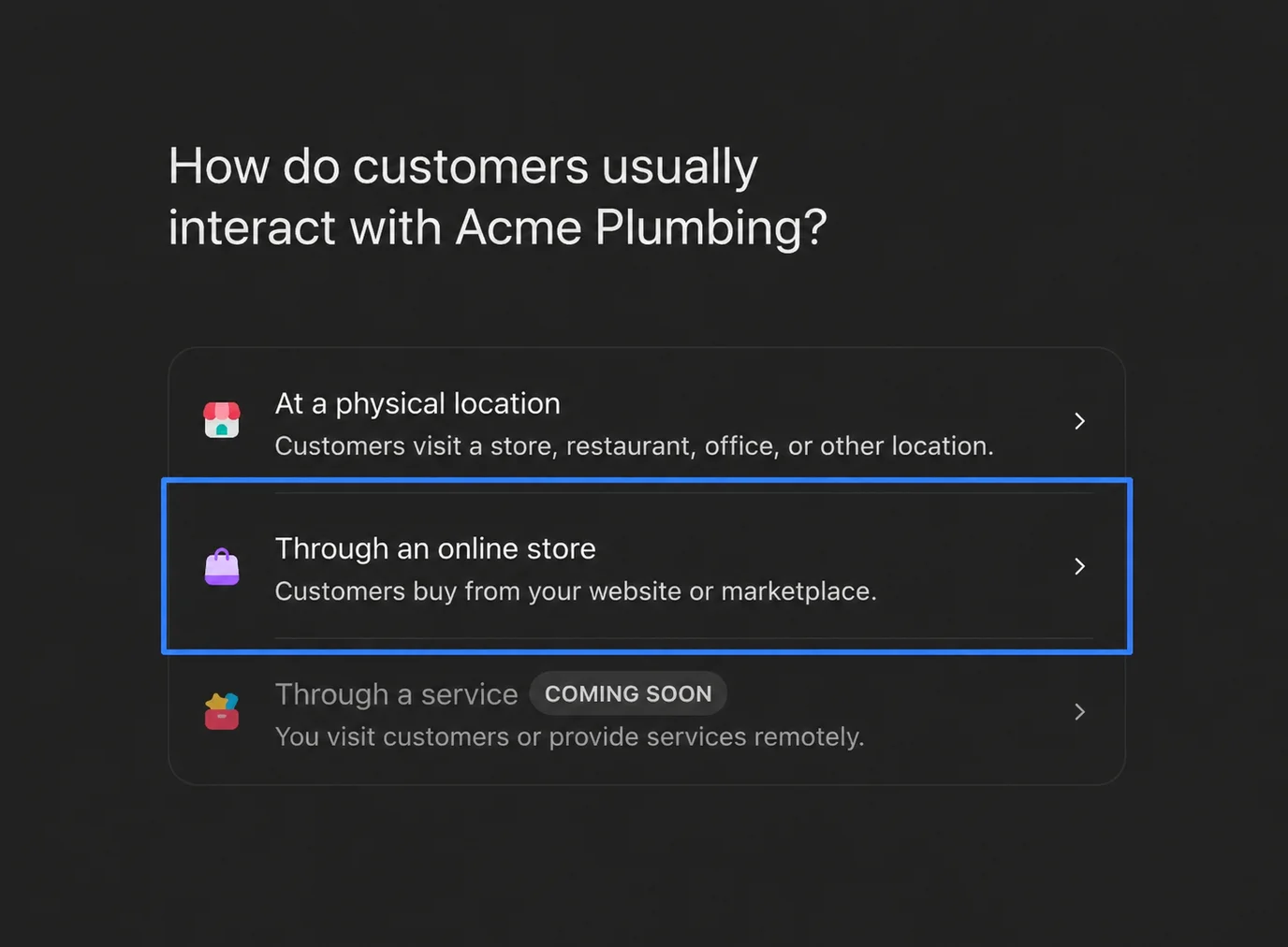
Local stores and restaurants can't add a new listing yet; they can only claim an existing US one. If you see "Contact support", the listing is locked and you need OpenAI's help to get in.
Step 2: Verify your connection to the business
Pick one of the methods offered:
| Method | What you do |
|---|---|
| Business phone | Get a code by text or automated call to the number shown |
| Business email | Get a code at the email address tied to the business |
| Website domain | Add the TXT record ChatGPT shows to your DNS, then select Verify domain |
| Shopify store | Connect Shopify and sign in to the store you're claiming |
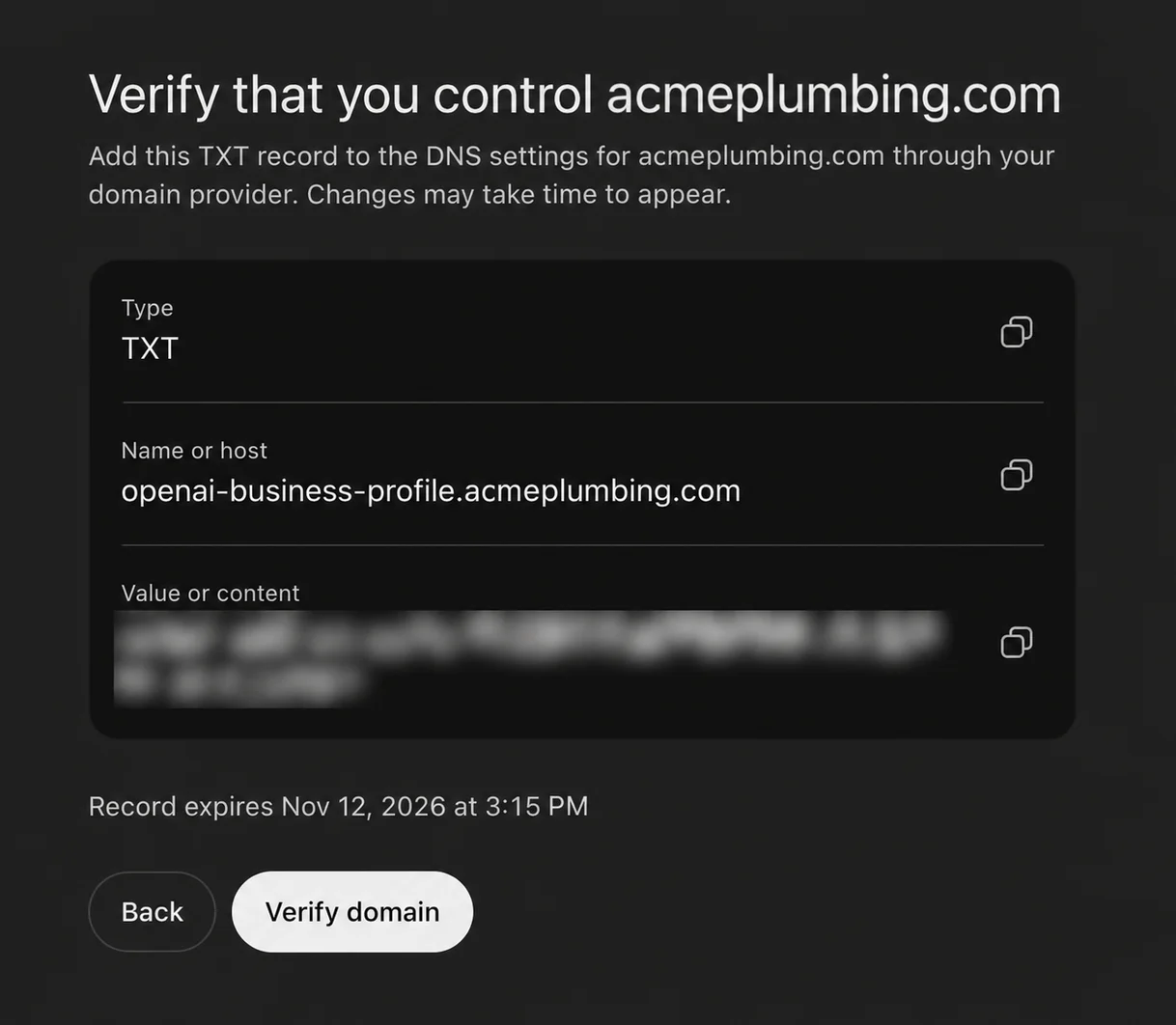
For the domain route, copy the type, host and value exactly. The record has an expiry time, so add it straight away. If an agency or IT team runs your DNS, send them the record now. DNS changes can take a while to show up.
Step 3: Wait for OpenAI to approve the claim
OpenAI reviews each claim and emails a decision or a request for more information. If someone else already claimed your business, open its profile, choose Dispute ownership from the ••• menu and verify with Persona.
Step 4: Verify your identity with Persona

You need an approved Persona check before you can publish changes, connect a product feed, see insights or build an agent. Expect to provide a government-issued ID, business registration details and proof you can represent the business. Make sure the business name, address and any registration or tax number match your official records exactly; mismatches are the usual reason a check fails.
The blue check on your profile appears after Persona approves you.
Step 5: Fill in your details and product feed
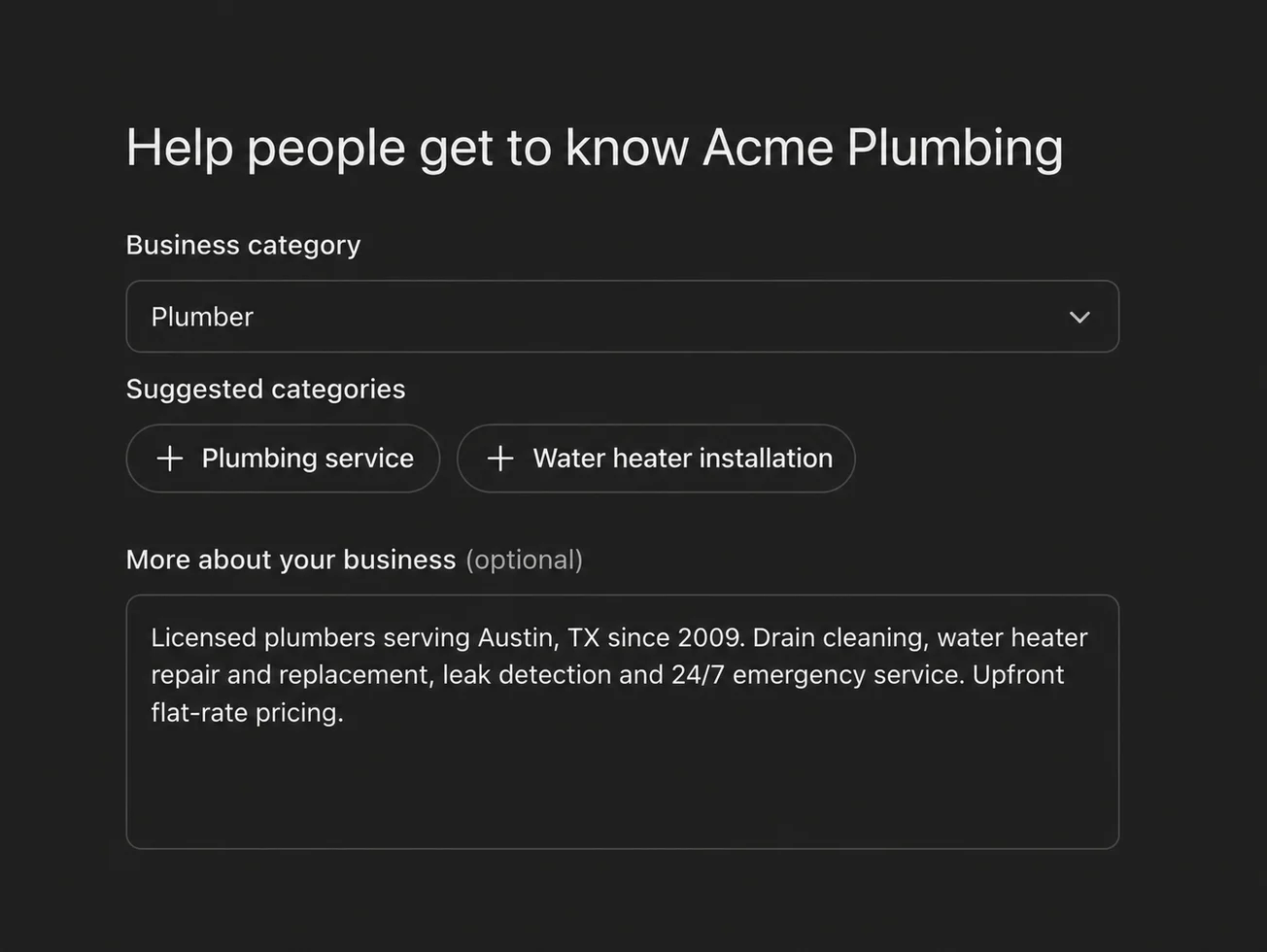
Write the description the way a buyer would ask for you: what you sell, who it's for, where you serve. Pick the most specific category available. If you sell products, connect a feed with current prices and stock. OpenAI reviews changes before they go live, and they can take time to reach answers.
Step 6: Check your insights
Insights cover the last 28 days. A blank number can mean the activity is under OpenAI's reporting threshold, so don't read it as zero. Note one detail in how mentions are counted: for an online business, a mention counts only when ChatGPT references your website. Naming your brand without a link doesn't count. For a local business, it counts when ChatGPT shows a result for that location.
What actually decides whether ChatGPT names you
ChatGPT search "typically rewrites your query into one or more targeted queries", sends them to search providers and answers from what comes back. To see what that looks like for buyer questions, we pulled 30 days of Rank.ai's AI rank tracking: an OpenAI model with web search answering the questions 27 Rank.ai customers track, October 11 to November 10, 2026. Answers served from cache are excluded. The questions span local services, ecommerce, software and finance. The model runs through the API with Rank.ai's search tool, which returns Google's top results, so the details can differ from the ChatGPT app. Treat this as a pattern across our customers' questions, not a law.
| What we measured | Result |
|---|---|
| Answers to buyer questions | 2,316 (264 questions) |
| Answers where the model searched first | 2,099 (91%) |
| Searches per answer, on average | 1.8 (4,159 searches) |
| Searches that included a year | 1,176 (28%) |
| Searches using best, top, vs., alternatives, compare, ranked or review | 821 (20%) |
| Answers that named the tracked business | 264 (11%) |
| ...of those, answers that also linked the business's own site | 202 (77%) |
Two things follow. The model almost always searches, so being findable on the open web matters more than anything you type into a profile. And roughly 1 named answer in 4 had no link to the business's site, which Business Hub won't count as a mention.
Which pages got cited
The same answers cited 3,128 links:
| Type of page | Links | Share |
|---|---|---|
| Directories and review sites (Yelp, G2, Capterra, Clutch, Trustpilot, Tripadvisor, BBB, Angi, Houzz, Thumbtack, Google) | 273 | 9% |
| Lists and comparisons (address contains best, top, alternatives, vs, compare, ranked or list) | 216 | 7% |
| Homepages | 214 | 7% |
| Reddit, Quora, YouTube and Wikipedia | 30 | 1% |
| Inner pages: services, products, pricing, guides, help docs, government pages | 2,395 | 77% |
Most citations went to a specific page that answered the specific question. A homepage tagline rarely did that job.
How to get named, once you've claimed
- Let OpenAI's search crawler in. Allow
OAI-SearchBotin robots.txt; OpenAI says sites that block it won't be shown in ChatGPT search answers, and changes take about 24 hours. Check your CDN or firewall isn't blocking it either.GPTBotis the training crawler and a separate choice. - Get indexed in Bing as well as Google. Add your site to Bing Webmaster Tools and use IndexNow to report changed pages.
- Give every buyer question its own page. Service pages with prices, areas and hours; product pages with full specs; pricing pages a model can quote. Answer the question in the first two sentences.
- Write the comparison pages buyers search for. One in five searches used best, vs., alternatives or a similar word. Pages titled "[competitor] alternatives" or "[you] vs [competitor]" match those searches. Compare fairly.
- Keep dates current. 28% of searches included a year. When a page changes, update it and show the date.
- Fix your directory and review profiles. In our data, directories got more citations than homepages. Make your name, hours, prices and service area match everywhere, including your new ChatGPT profile.
- Get onto other people's lists. Ask your buyers' questions, open the sources, and ask the authors of relevant lists to consider you. Send what they need to check you fit. Never pay for a spot or buy reviews.
Our full guide, how to rank in ChatGPT, goes deeper on each of these, with the published research behind them.
What to skip
- An llms.txt file. SE Ranking checked about 300,000 domains and found no link between having one and being cited by AI.
- Schema sold as a ChatGPT shortcut. Keep structured data accurate for Google, but plain answers on the page do the work.
- Anyone selling guaranteed placement. OpenAI says neither claiming nor ads buy a spot in its answers.
How to tell if it's working
Count over many runs. In our data, 59 tracked questions named the business at least once over the month. On 58 of those 59, it was named only some of the time; the median was 37.5% of runs. Only one question named the business every time. One screenshot tells you almost nothing.
So pick 20 to 50 questions your buyers ask, run each several times a week and track the share of answers that name you and the share that cite your pages. Then add Business Hub's mentions and clicks, the counts only OpenAI has, and compare: if your tracked mention rate rises and Business Hub mentions don't, ChatGPT is naming you without linking you.
Rank.ai's AI visibility tracking asks your questions in ChatGPT, Claude and Gemini every day, records every brand named and every page cited, and writes and publishes the articles that answer the questions you're losing. The free AI grade shows where you stand today, no account needed.
FAQ
How do I claim my business in ChatGPT?
Sign in to ChatGPT, open Business Hub from the sidebar, search for your business and select the matching listing. Verify by business phone, business email, a DNS TXT record or Shopify, wait for OpenAI's approval, then complete identity verification with Persona to publish changes and see insights.
Who can claim a business in ChatGPT?
The owner or someone authorized to represent the business, where ChatGPT is available and the verification method is supported. Eligibility depends on industry, location and OpenAI's checks, and claiming starts with businesses that have a website. local stores and restaurants can currently claim only an existing US listing.
Does claiming my business make ChatGPT recommend it more?
No. OpenAI says claiming does not guarantee higher placement or sales, and ads don't influence ChatGPT's answers. Claiming lets you control the information you provide and see insights.
How do I get the blue check in ChatGPT?
The blue check appears after your Persona identity verification is approved. Claiming the business alone doesn't add it.
What counts as a mention in Business Hub?
For an online business, a mention counts when ChatGPT references your website; naming the brand alone doesn't count. For a local business, it counts when ChatGPT shows a result for that location. Insights cover the past 28 days and can be blank below OpenAI's reporting threshold.
Do I need a Business Agent or ads to claim my business?
No. Claiming, publishing an agent and advertising are separate. Business Agents are currently available to eligible ecommerce and online service businesses in the US.