In a merger or acquisition, SEO matters twice. Before the deal, the target's organic traffic, rankings, content and backlinks are assets that need valuing, and its penalties, spam links and tracking gaps are liabilities that need finding. After the deal, most buyers consolidate websites, and a domain migration done badly can lose a large share of the traffic they just paid for.
Search assets are hard to copy. A competitor can match a product or a price, but years of earned links, pages that rank, and a brand that AI assistants already name take years to rebuild. That is why an SEO review belongs alongside financial and legal diligence.
This guide covers both halves: a due diligence checklist for evaluating a target's search presence, and a migration plan based on Google's own site move documentation. (Rank.ai has done this itself: this site took in two older domains, with every old URL redirected to a matching new page.)
What SEO assets are worth in a deal
Buyers usually value four things.
| Asset | How to measure it | Why it matters |
|---|---|---|
| Organic traffic and conversions | Search Console clicks, analytics sessions and conversions from organic search, 24 months of history | The revenue the channel actually produces |
| Rankings | Keywords in the top 3 and top 10, especially commercial and branded terms | Shows how durable the traffic is |
| Backlinks | Referring domains, their quality, and links to key pages | Hard to replicate. Drives future rankings |
| Content library | Pages that earn traffic or links, and their topical coverage | Avoids years of content production |
A fifth asset is newer: visibility in AI answers. If ChatGPT, Gemini and Claude already name the target when buyers ask for recommendations in its category, that brand recognition carries over. Rank.ai's free AI grade gives a quick read on how often a site is named across 12 customer questions and which competitors appear instead.
SEO due diligence checklist
Run this during the diligence window. Ask for access to the target's tools early, since requests can take days.
Access and data
| Item | What to request or check |
|---|---|
| Google Search Console | Read access to all properties, including www, non-www and subdomains |
| Analytics | Read access to GA4 (and Universal Analytics exports if historical data matters) |
| Domain registrar | List of all domains owned, expiry dates, who holds the registrar account |
| CMS and hosting | Platform, hosting provider, who has admin access |
| Google Business Profiles | All locations, who owns and manages each profile |
| SEO vendors and contracts | Agencies, link building providers, content contracts in force |
Traffic and rankings
- Pull 24 months of Search Console clicks and impressions. Look for sudden drops that line up with Google core updates or spam updates.
- Split branded from non-branded traffic. Branded traffic follows the brand. Non-branded traffic depends on rankings that a migration can disturb.
- List the top 50 landing pages by organic clicks and conversions. These must be protected in any migration.
- Check concentration risk: if 3 pages bring half the traffic, the asset is fragile.
- Compare analytics with Search Console. Large gaps suggest tracking problems.
Penalties and spam
- Open Search Console's Manual actions report. Any current or past action needs explanation.
- Check the Security issues report for hacked content or malware.
- Review the backlink profile for paid links, private blog networks, and exact-match anchor patterns. Google's spam policies list link schemes, and our guide to anchor text best practices explains the anchor patterns that signal them.
- Ask whether a disavow file has been submitted, and get a copy.
- Look for scaled, thin or AI-generated pages produced mainly for rankings. Google's March 2024 update added scaled content abuse to its spam policies (Google Search Central Blog, 2024).
Technical health
- Crawl the site with a tool such as Screaming Frog or Sitebulb. Our technical SEO audit checklist lists what to check.
- Note indexation: pages submitted versus pages indexed in Search Console's Pages report.
- Check Core Web Vitals in Search Console.
- Record the URL structure, redirects already in place and redirect chains.
Content and links
- List pages with the most referring domains. These carry link equity and must redirect to equivalent pages.
- Identify content that would duplicate the buyer's own pages after the merger.
- Check for licensed content, guest content or syndicated content the buyer may not have rights to keep.
Local presence (for multi-location businesses)
- Inventory every Google Business Profile, its reviews and rating.
- Check name, address and phone consistency across directories. See NAP consistency.
- Note which locations will close, move or rebrand.
Risks to price into the deal
| Risk | Warning signs | Impact | Mitigation |
|---|---|---|---|
| Manual action or spam history | Manual action in Search Console, paid link invoices, PBN links | Rankings may already be suppressed or could drop | Price it in, require cleanup before close, or make it a warranty item |
| Traffic built on a few pages | 3 to 5 URLs drive most clicks | One algorithm update can erase most of the value | Value conservatively. Protect those URLs in migration |
| Algorithm update exposure | Traffic drops matching core or spam update dates | Value may keep falling | Value it on the post-update run rate |
| Migration loss | Large site, complex URLs, no URL inventory | Temporary or lasting traffic loss after consolidation | Budget time and expertise for a mapped migration |
| Tracking gaps | No Search Console, broken analytics | Cannot verify claimed traffic | Make access a condition of diligence |
| Domain control | Domains on a founder's personal registrar account | Lost or lapsed domains | Transfer all domains at close |
| Content rights | Freelance or licensed content without assignment | Takedowns after close | Check contracts. Get IP assignment |
Deciding what to do with the acquired site
There are three common paths.
| Option | When it fits | SEO effect |
|---|---|---|
| Keep both sites running | Different audiences, products or markets | No migration risk. Two sites to maintain. Watch for the two competing on the same keywords |
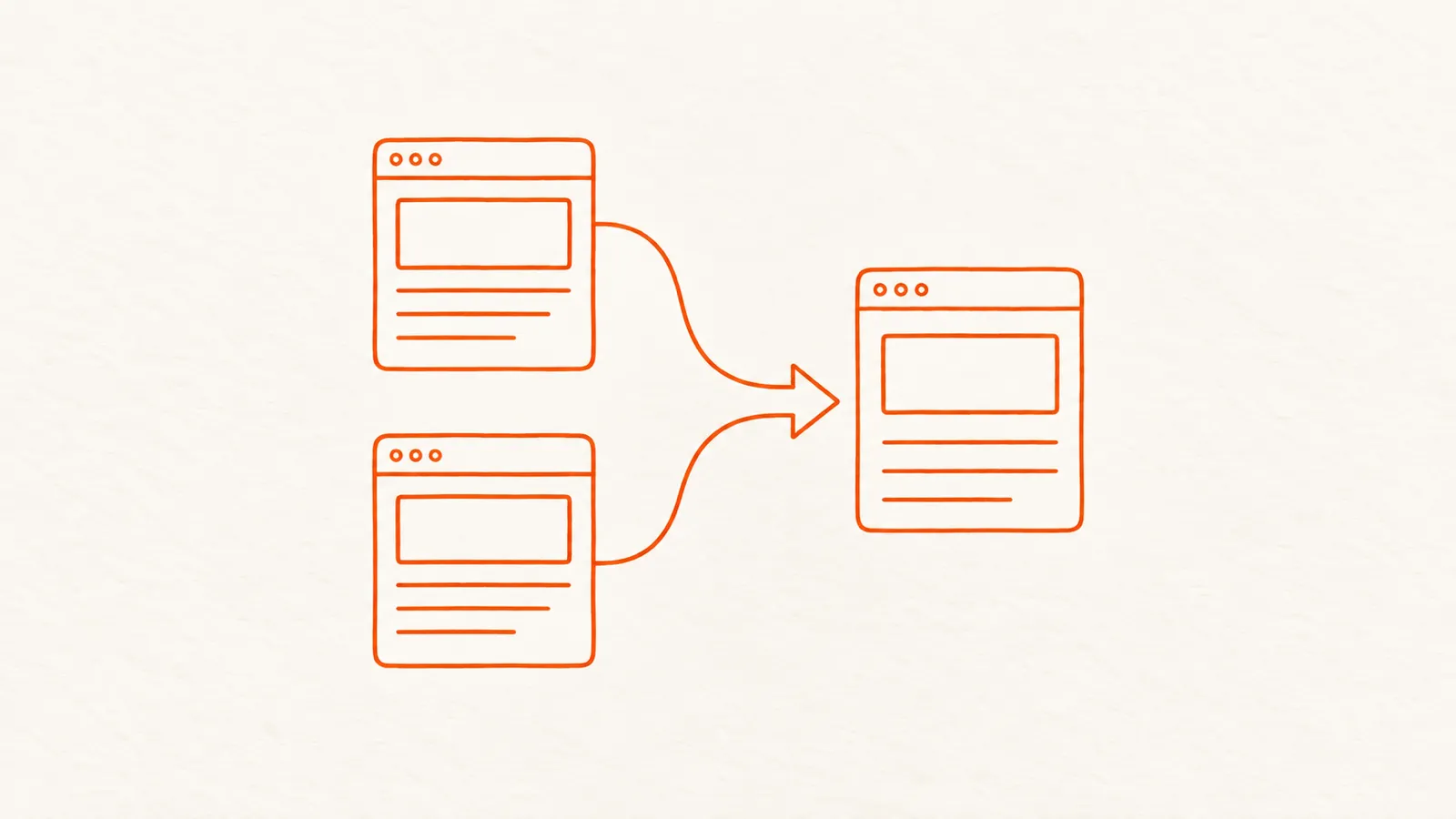
| Merge the acquired site into the buyer's site | Overlapping products, one brand going forward | Signals can transfer via redirects, but expect a settling period |
| Rebrand both onto a new domain | New combined brand | Highest risk: two migrations at once |
When you merge, the combined traffic can end up below the two sites' sum, especially where both ranked for the same keywords and the merged site now holds one listing where there were two. Plan for overlap.
How to migrate an acquired domain, step by step
Google's guide to site moves with URL changes is the primary reference. These steps follow it.
1. Prepare the destination site
Build the pages that will receive the acquired content before anything moves. Google's guide notes that if you purchased the domain, you should check it is "clean of any outstanding issues from the previous owner", including manual actions and leftover URL removals in Search Console.
2. Build a complete URL map
Google says: "It's important to map your old site's URLs to the URLs for the new site." Export every URL from the old site (crawl, sitemap, Search Console, analytics landing pages and backlink tools, since old URLs with links may no longer be in the sitemap). Map each one to the most relevant new page.
| Old URL type | Map to |
|---|---|
| Page with an equivalent on the new site | The equivalent page |
| Valuable page with no equivalent | A new page rebuilt from scratch on the new site, then redirected |
| Blog posts with links | The closest new article on the same topic |
| Thin or obsolete pages with no links or traffic | Closest category page, or let them return 404 |
| Homepage | New homepage, or a dedicated page about the acquired brand |
Avoid sending everything to the homepage. Google's redirects documentation treats permanent redirects as a signal that the target is the canonical version of the old page, which only makes sense when the target is a true equivalent.
3. Use permanent server-side redirects
Google lists 301 and 308 as permanent redirects and recommends "a permanent server-side redirect whenever possible" (Google Search Central, Redirects). JavaScript redirects are a last resort because Google "might never see it if rendering of the content failed." Redirect each old URL in one hop, with no chains.
4. Move the site
Google recommends moving all URLs at once for most sites, though larger sites can move in sections. Update internal links on the new site to point directly to new URLs, update canonical tags, and submit new sitemaps.
5. Submit a Change of Address
In Search Console, use the Change of Address tool for domain moves. Google's requirements: you must own both properties, a 301 must be in place from the old homepage, and the tool must be submitted for every old variant, including www and non-www. Google says the tool forwards signals for 180 days.
6. Update everything that points to the old domain
- Google Business Profile website links
- Directory listings and citations (see multi-location SEO for handling many locations)
- Social profiles and email signatures
- Ad campaign destination URLs
- Your top external links: ask the linking sites to update to the new URL where the relationship allows
7. Monitor and keep the redirects
Google warns to "expect temporary fluctuation in site ranking during the move" and that "for medium-sized websites, it can take a few weeks or more" for new URLs to replace old ones in results. Keep redirects "for as long as possible, generally at least 1 year." Keep renewing the old domain indefinitely: if it lapses, someone else can register it.
Watch these weekly for the first 3 months:
| Metric | Where | What good looks like |
|---|---|---|
| Old URLs indexed | Search Console, old property | Falling steadily |
| New URLs indexed | Search Console, new property | Rising to match the map |
| 404 errors from old URLs | Server logs, Search Console | Near zero for mapped URLs |
| Rankings for top 50 keywords | Rank tracker | Dip then recovery within weeks |
| Organic conversions | Analytics | Back to baseline after settling |
Daily rank tracking makes the settling period much easier to read, because you can tell a normal dip from a mapping error within days.
Brand consolidation without losing the acquired brand's demand
People will keep searching the acquired brand's name for years. Plan for it.
- Keep a page for the old brand. A page such as "Acme is now part of Example" captures branded searches, explains the change and links to the right products.
- Use the old name in copy where it is true. "Formerly Acme" on relevant pages helps searchers and AI assistants connect the two names.
- Update structured data. Organization markup with the new name and
sameAslinks to official profiles helps Google connect entities. - Tell the directories and review sites. Aggregators and review platforms feed both search and AI answers.
Avoiding the spam policies when buying domains
Some buyers acquire sites mainly to borrow their search reputation. Google's March 2024 spam policy update added expired domain abuse: buying an expired domain "and repurposing it primarily to manipulate search rankings by hosting content that provides little to no value to users" (Google spam policies). The same update added site reputation abuse, which covers publishing third-party pages on a site to exploit its ranking signals (Google Search Central Blog, 2024).
Google's guidance also says "it's fine to use an old domain name for a new, original site that's designed to serve people first" (Google Search Central Blog, 2024). A genuine acquisition, where the old content is replaced by equivalent or better pages for the same audience, is the normal case Google's site move process is built for.
FAQ
How does a merger affect SEO?
It depends on what you do with the websites. Keeping both sites changes little. Merging one into the other moves rankings and links through redirects, which usually causes a temporary dip and some lasting loss where both sites ranked for the same searches.
Do 301 redirects pass link equity after an acquisition?
Google treats permanent redirects as a signal that the new URL is the canonical version of the old one, so signals from the old page are consolidated onto the new page. Redirect each old URL to a true equivalent for the best result.
How long should I keep redirects after a domain migration?
Google says to keep them for as long as possible, generally at least 1 year. Many companies keep them permanently, since the cost is low and old links keep sending visitors for years.
What should SEO due diligence include?
Access to Search Console and analytics, 24 months of traffic history, a check for manual actions and security issues, a backlink and anchor text review, a technical crawl, content rights and domain ownership. Each finding should feed the valuation or the deal terms.
Should we keep the acquired company's website?
Keep it if it serves a different audience or market and has its own brand demand. Merge it if the products overlap and one brand is the future. Decide based on customers first, then plan the SEO work around that choice.
How long does it take for rankings to recover after a site migration?
Google says medium-sized sites can take a few weeks or more for new URLs to replace old ones, and larger sites longer. Lasting drops usually point to mapping errors, missing pages or redirect chains, which a crawl of the old URL list will reveal.